You open Google Search Console and see one position for a keyword. Then you check a rank tracker and see a different one. Your client asks which number is right. If you run an agency in the Gulf, you have probably heard that question in a client meeting.
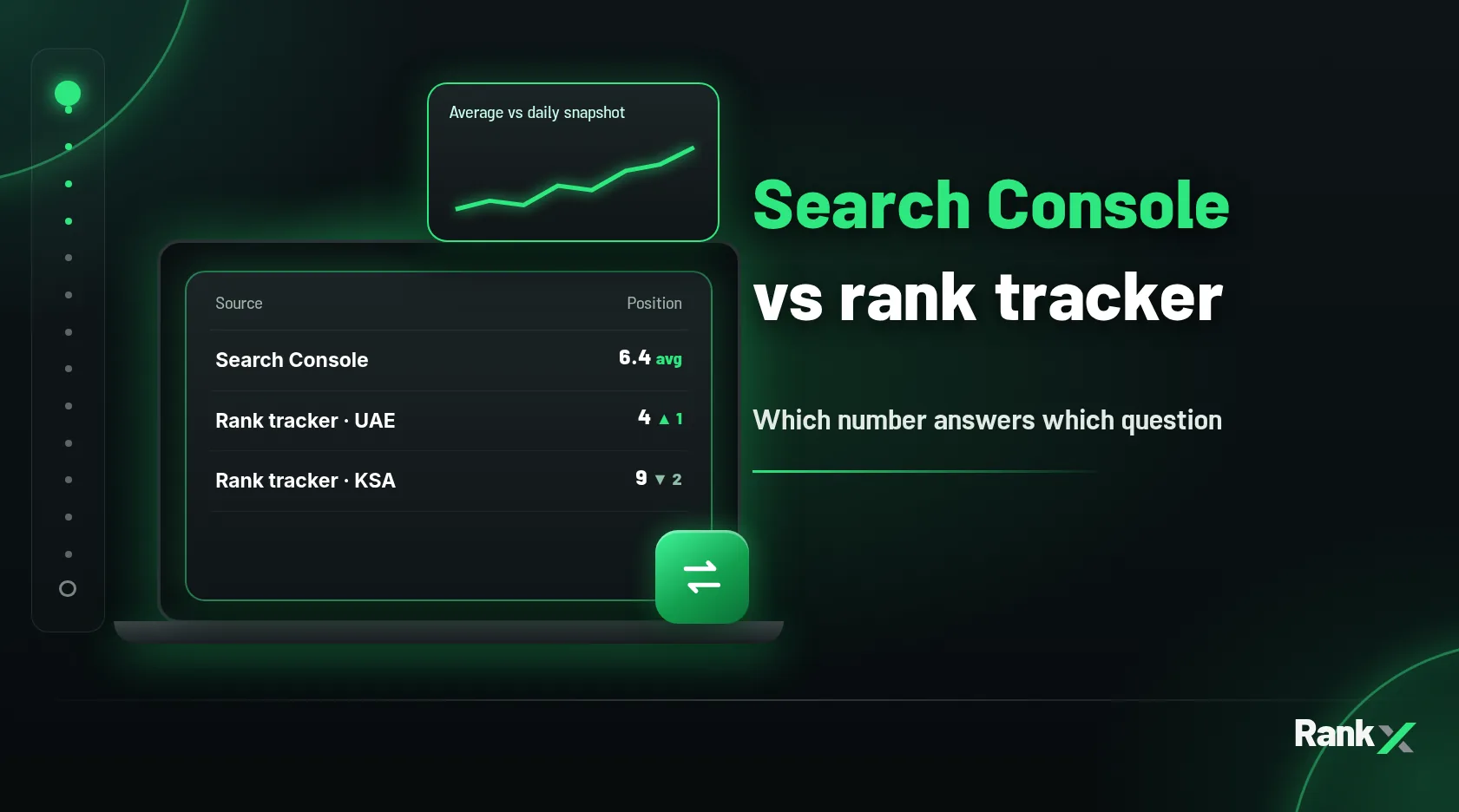
The short version: Search Console shows an average position across many searches, while a rank tracker shows one fixed check of one market and one device. They measure different things, so both numbers can be right at the same time. This guide explains what each number means, which client question goes to which tool, and how to read the two side by side without treating the gap as an error.
Search Console vs rank tracker: which questions does each answer?
The short answer: Search Console reports an average position, not one snapshot. A rank tracker reads the results for one keyword, in one market, on one device, at a set time. So one number describes many searches blended together. The other describes a single look that is repeated the same way each time.
Two terms first, because many readers are new to SEO tools. The SERP is the page of Google results you see after a search. Organic results are the unpaid listings on that page, as opposed to ads. Both tools talk about where your page sits in the organic results. They simply measure it in different ways.
Forum threads and tool blogs often argue about which number is the true one. That argument misses the point. Each number is an honest answer to its own question. Your job is to know which question your client is really asking.
What does average position in Search Console mean?
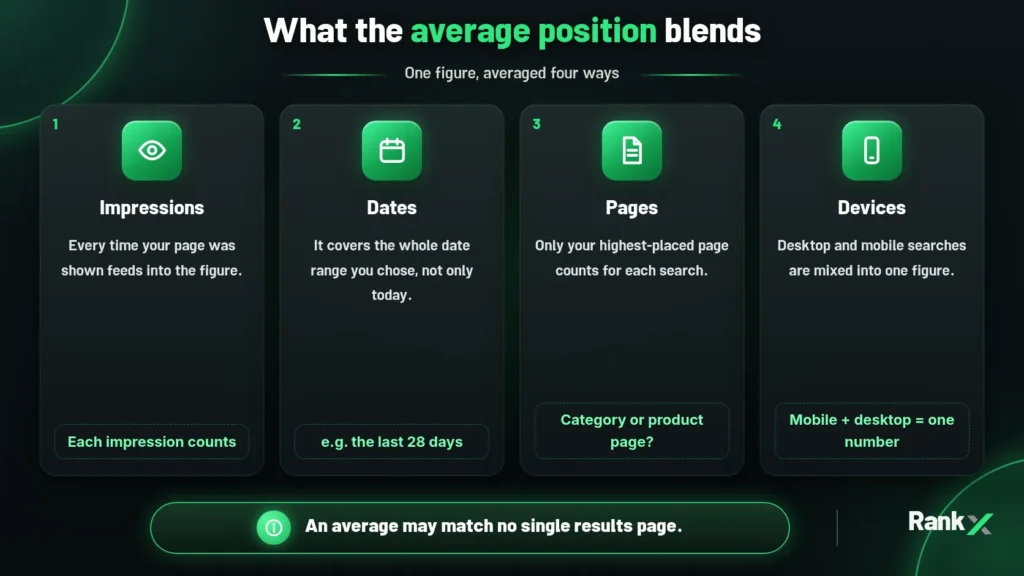
In the Performance report, Search Console shows a position next to your queries and pages. That position is an average, not one snapshot. Google defines it as the topmost position your site held in the results, averaged across impressions. It is built from many searches, not from one search you could repeat and check. It is averaged in several directions at once:
- Across impressions: each time your page was shown in the results feeds into the figure
- Across dates: the figure covers the whole date range you chose, not only today
- Across pages: when you look at the whole site, only your highest-placed page counts for each search, so the figure does not tell you which page held the spot
- Across devices: desktop and mobile searches are mixed into one figure
This has a practical effect. Suppose a keyword sits high on desktop and lower on mobile. The average may land somewhere in the middle, at a position that no searcher actually saw. The figure is still correct as an average. It just may not describe any single search results page.
What else does Search Console tell you?
Position is only one part of Search Console. Search Console helps you do three things:
- See the search queries that bring users to your website
- Analyse your site’s impressions and the clicks on it
- Analyse your site’s standing within Google Search results
This is real demand data from Google itself. It tells you what people searched for and whether they clicked. In our view, a rank tracker does not replace that. There is a limit, though. Search Console covers only sites you have verified access to. It shows your own pages, so it will not show you the pages of competitors that rank next to you.
What does a fixed daily rank check add?
A daily rank tracker takes a different approach. It checks the same keyword, in the same market, on the same device, once a day. Because each reading is taken the same way, today’s result can be compared with yesterday’s. A move from one day to the next is then more likely to reflect a real change in the results, rather than a shift in the mix of searches behind an average.
RankX works this way. You add a domain, choose the Google market for it (country, language, desktop or mobile) and add your keywords. Checks run every morning and cover the top 20 results. Reports show which keywords moved up or down, a single visibility score for the site, and which competitors appear in the same results.
Keep one limit in mind. A tracker can only show history from the day you start tracking a keyword. If you add a keyword today, you have no earlier readings for it. Search Console, by contrast, lets you look back over the date range it keeps.
Which tool answers which client question?
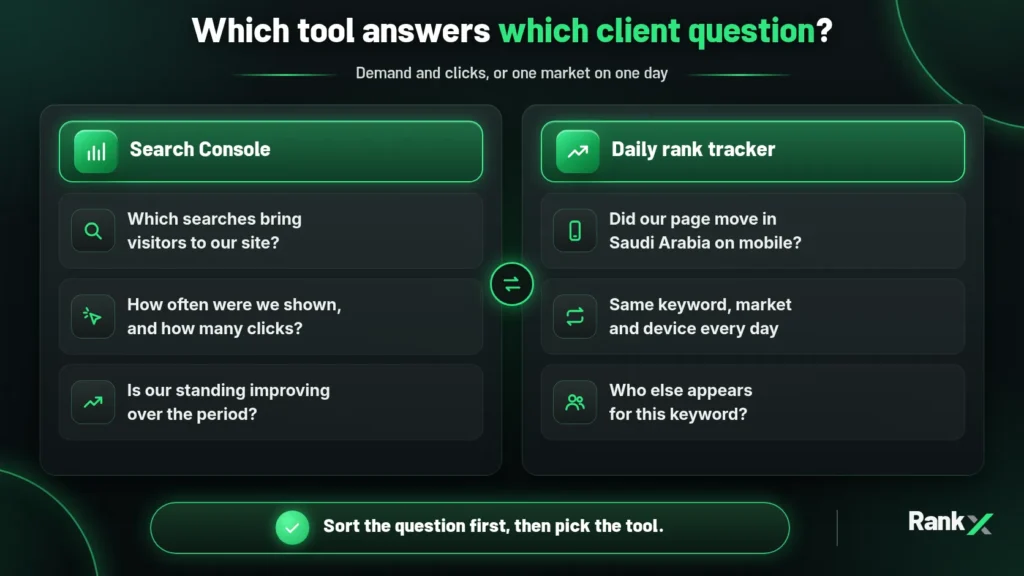
This is the core of the method. When a client asks something, first decide what kind of question it is. Questions about demand and clicks go to Search Console. Questions about one market, one device or one day go to the daily tracker. Questions about competitors go to the tracker too.
| Client question | Tool that answers it | Why |
|---|---|---|
| Which searches bring visitors to our site? | Search Console | It shows the queries that bring users to your site |
| How often were we shown, and how many clicks did we get? | Search Console | It reports impressions and clicks |
| Is our standing in Google improving over the period? | Search Console | Its position is an average across the date range |
| Did our page move in the Saudi market on mobile this week? | Daily rank tracker | Same keyword, market and device every day |
| Who else appears for this keyword? | Daily rank tracker | Search Console shows only your own site |
Take a Dubai agency with clients in Riyadh and Doha. Each client wants to rank for Arabic and English keywords. The two languages are likely to return different results pages, so it makes sense to track them as separate keywords, each with its own market and language. Search Console then answers which Arabic and English queries actually bring visitors. The tracker answers whether the Arabic keyword moved in Saudi Arabia on mobile this week, and which other sites appear around it.
For an SEO report for clients, you do not have to choose one tool. A read-only share link or a PDF from the tracker can sit next to the Search Console trend. The client sees demand and clicks from one tool and a fixed daily reading from the other, each labelled for what it is.
How do you read both numbers side by side?
- Match the keyword. Use the same keyword spelling in both tools. If an Arabic keyword has more than one common spelling, treat each spelling as its own keyword (see our guide to Arabic keyword rank tracking).
- Match the market. Look at the same country and language in both, as far as each tool allows.
- Match the device. Compare mobile with mobile and desktop with desktop.
- Read Search Console as an average. Its position covers the dates in the range you selected, averaged across impressions and devices, using your top page each time.
- Read the tracker as the latest fixed check. It is one reading, taken the same way each day.
- Explain the gap instead of fixing it. Tell the client that one number is an average and the other is a snapshot.
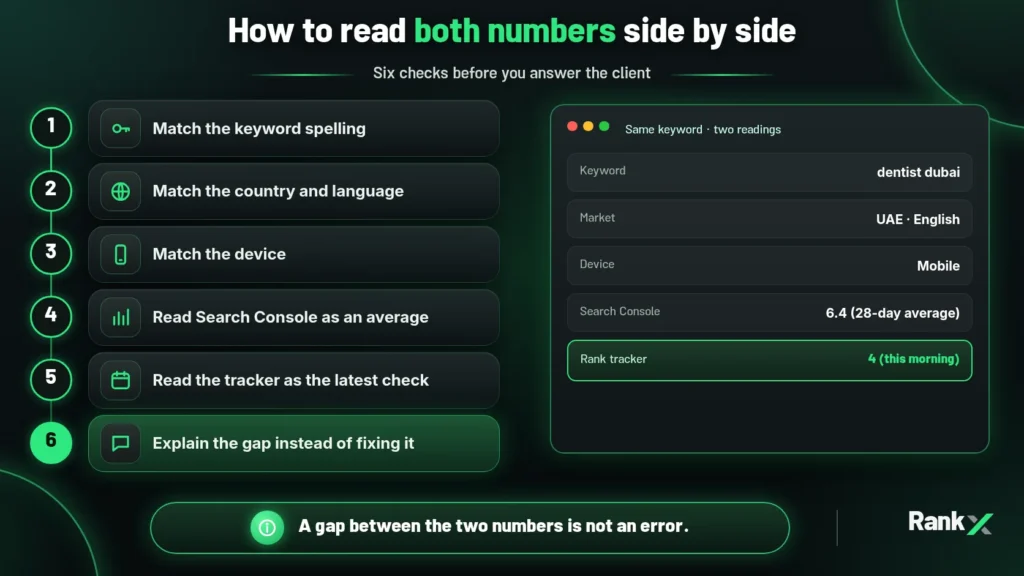
A gap is not an error. Search Console reports an average across impressions, dates and devices. A daily tracker reports one fixed check. When the two numbers differ, both can still be right.
What can each tool not do, and what should you do next?
- Search Console cannot show competitors’ pages, because it covers only sites you have verified access to
- Search Console cannot give one fixed reading for one market and device on one day, because its position is an average
- A rank tracker cannot show the queries that bring visitors or the clicks you received
- A rank tracker cannot show history from before you started tracking a keyword
Your next step: write down the questions your clients ask often and sort them using the table above. Set up daily tracking for the keywords that need a fixed reading in a specific market and device, with Arabic and English kept apart. Keep Search Console open for demand and clicks. If you are new to the topic, start with our plain guide to rank tracking.
Frequently asked questions
Why is my Search Console position different from my rank tracker?
Search Console reports an average position across impressions, dates and devices, not one snapshot. A rank tracker reads one keyword, market and device at a set time, so the two numbers will often differ and both can be right.
Do I still need Search Console if I use a rank tracker?
In most cases, yes. Search Console shows the search queries that bring users to your site and your impressions and clicks, which a rank tracker does not show.
Can Search Console show my competitors’ rankings?
No. It covers only sites you have verified access to. To see which other sites appear for your keywords, you need a rank tracker that reads the results page.
Should I track Arabic and English keywords separately in the UAE?
Yes. Arabic and English searches often return different results, so tracking each as its own keyword keeps the readings comparable.