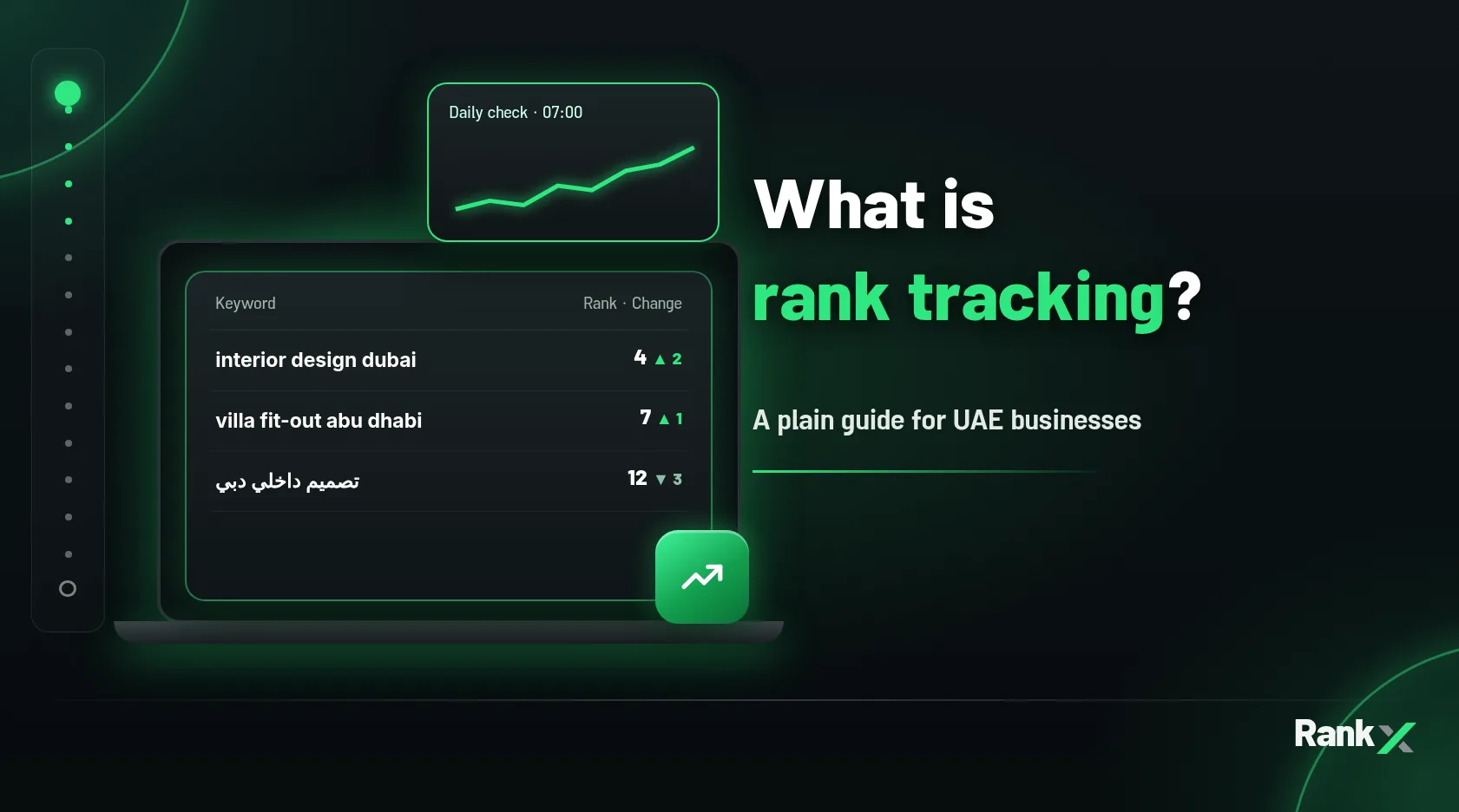
What is rank tracking? In short, it means checking where your pages appear in Google for the keywords that matter to your business, and doing that on a regular schedule. If you run a business or work at an agency in the UAE, you have probably typed your own brand into Google to see where it shows up. That quick search tells you less than it seems.
This guide explains what a rank check is, why your own search can mislead you, how to read the numbers in a report and which keywords to track first. You need no SEO background to follow it.
What is rank tracking?
Rank tracking means checking where your pages appear in Google for the keywords that matter to your business, on a regular schedule. Two words carry the idea. A keyword is a word or phrase people type into a search engine to find what they are looking for, such as “car rental Dubai” or “تأجير سيارات دبي”. A position is the place your page holds in the organic (unpaid) results for that keyword. The first listed page is at position one, the page below it is at position two, and so on.
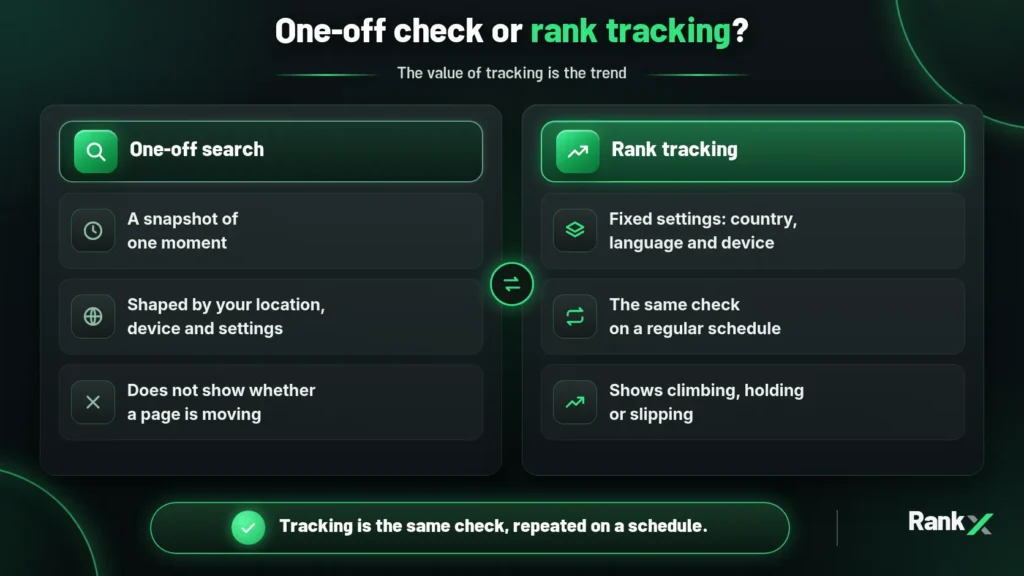
A one-off rank check answers a single question: where is my page today? Tracking repeats the same check, for the same keywords and the same market, again and again. Each result on its own is a snapshot. Put together, the results show a trend: whether a page is climbing, holding or slipping. In practice the trend is usually what helps you decide, because a single reading can be a passing blip.
What do you see on a Google results page?
The SERP (the page of Google results) is more than a list of links. The results Google shows contain main search results, special sections, videos, charts, paid ads and other elements. Depending on the search, you may see a map of local businesses, a row of videos or a box of answers before the first ordinary link.
In this article, position means your place among the main organic listings, not among the ads. Ads are paid placements: they appear because an advertiser pays for them, not because Google ranked the page. Tools can count positions in slightly different ways, so when you compare reports from two sources, check what each one counts first. Search Console is a special case, which we explain in Search Console vs rank tracker.
Why does your own search not show your real position?
Google search rankings vary by location and by personalisation, which makes it hard to know your true position from your own search. Google itself says it uses your location, past searches and settings to choose results. The page you see on your laptop in the office may not be the page your customer sees on their phone in another city. Here is how that can play out in the Gulf (our guide on how to check Google ranking for your website covers it step by step):
- Country: a Dubai agency checking a Riyadh client’s keyword from its office will likely see results for the UAE, not for Saudi Arabia, where the client’s customers search
- Language: the English search “dentist Riyadh” and the Arabic “طبيب أسنان الرياض” can return different pages, so a page that shows up in one may be missing from the other
- Device: results on a phone and on a desktop can differ, and your customers may search on either
- Personal history: you visit your own site often, and personalised results may reflect that
How does a rank check work?
A rank tracker removes the guesswork by running the same search under fixed settings. Setting one up follows the same order in any tool:
- Add the domain. Enter your website address, for example yourbrand.ae
- Choose the Google market. Pick the country, the language and the device (desktop or mobile) your customers use
- Add your keywords. Start with a short list; the section below shows how to build it
- Run the check on a schedule. Daily is common, so each morning brings a fresh reading
- Keep the results as history. Each check is saved, so you can compare today with last week or last month
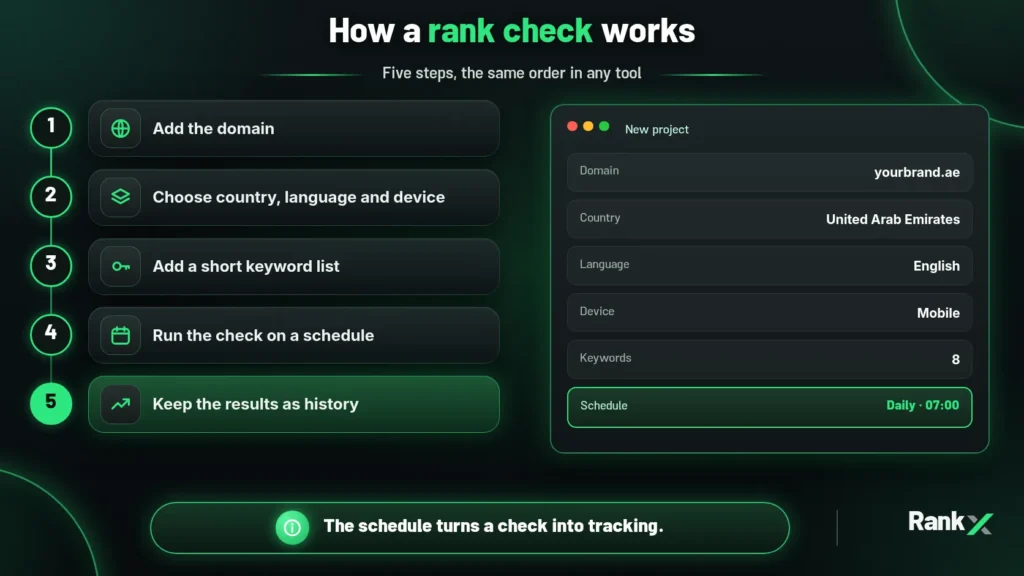
The schedule is what turns a check into tracking. Rank tracking, by definition, happens on a regular schedule, and its value comes from repeating the same check under the same settings. RankX is a daily rank tracker built for this: it checks the top 20 results each morning, shows positions over time, lists which keywords moved up or down and shows which competitors appear next to you.
How do you read the numbers in a report?
A rank report looks dense at first. Read it in this order, one line at a time.
| What you see | What it means | What to ask |
|---|---|---|
| Position | Your place in the organic results for one keyword in one market | Is this keyword where I expected it to be? |
| Movement | How far the keyword moved up or down since the last check | Is this a one-day move or part of a trend? |
| Ranking page | Which page of your site appears for the keyword | Is it the page I want customers to land on? |
| Other sites | Which other websites appear in the same results | Who am I competing with for this search? |
| Average position | One figure that summarises all tracked keywords | Did a single keyword drag this figure? |
Average position is calculated by adding the positions of all tracked keywords and dividing by the number of keywords. Take an imaginary example. You track three keywords. Two sit at position two and one has dropped to position forty. The total is forty-four, divided by three, which gives an average of about fifteen. Nothing changed for two of your three keywords, yet the average makes the whole site look weaker.
Read keywords one by one first. One keyword that falls far can pull the average down while the rest hold steady. Check the individual positions, then treat the average as a summary, not as the verdict. Some trackers, RankX included, also give one visibility score for the whole site. Read it the same way: a summary you check after the keyword list, not instead of it.
What should you track first?
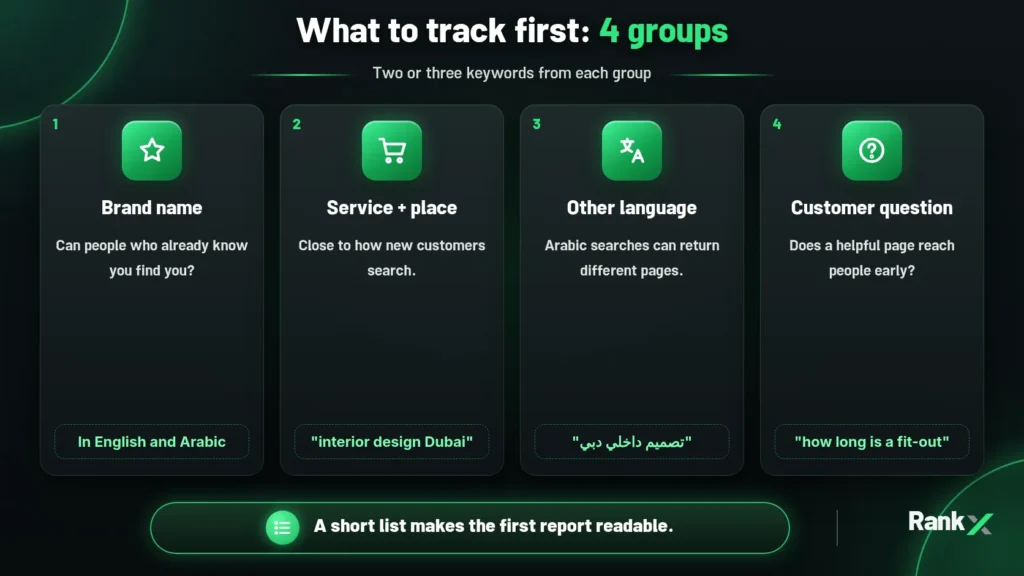
This is the step that tends to stall beginners. Rank tracking follows the keywords that matter to your business, so you choose the list yourself. A short list built in four fixed groups gives you a useful first report without burying you in data. Here is the method, using a Dubai interior design studio as the example.
| Group | Example for a Dubai studio | Why it belongs on the list |
|---|---|---|
| Brand name | The studio’s name, in English and in Arabic spelling | Shows whether people who already know you can find you |
| Main service plus place | “interior design Dubai”, “villa fit-out Abu Dhabi” | Close to how new customers search for what you sell |
| Other-language version | “تصميم داخلي دبي” | Arabic searches can return different pages from English ones |
| A customer question | “how long does a villa fit-out take” | Shows whether a helpful page of yours reaches people early in their search |
Then set the market for each keyword. Because rankings vary by location, track each country as its own market. If you sell in the UAE and Saudi Arabia, set up two markets and give each one its own keywords, such as “interior design Riyadh” for the Saudi side. Choose desktop or mobile for each, based on how your customers are likely to search.
Keep the first list short, perhaps two or three keywords per group, and tie every keyword to something you sell. A short list is easier to read, and once you are comfortable with the report you can add more. A long list on day one tends to produce numbers nobody looks at.
How often should you check, and when should you act?
Daily checks show small moves from one day to the next. A keyword can slip a few places on Tuesday and recover on Wednesday. Treat those moves as normal movement and judge the trend over several weeks rather than one day.
Act when a keyword drops and stays down. When that happens, open the report and check which page ranks for it now. Sometimes a different page of your site has replaced the one you wanted; sometimes another site has moved in above you. Those are two different problems, and the report helps you tell them apart.
What can you do today?
- Write down your brand name as customers type it, in English and in Arabic
- Add your main service with the cities or countries you serve
- Add the Arabic or English version of your main search
- Add one or two questions your customers ask you
- Next to each keyword, note the country, language and device it belongs to
You need no tool to write this list. Once it exists, a tracker can run the checks for you, and you will know what each number in the report refers to.
Frequently asked questions
Is rank tracking the same as searching for my site on Google myself?
No. Google rankings vary by location and personalisation, so your own search may not show your true position. Tracking repeats the same check under fixed settings and keeps the history.
Do I need to track Arabic keywords as well as English ones in the UAE?
If your customers search in Arabic, it is worth it. Arabic and English searches can return different pages, so track each version as its own keyword. Arabic spellings can split too; see our guide to Arabic keyword rank tracking.
What does average position mean in a rank report?
It is the sum of the positions of all tracked keywords divided by the number of keywords. One keyword that falls far can pull it down, so read keywords one by one first.
How many keywords should a beginner track?
Start with a short list in four groups: brand name, main service plus place, the other-language version and a customer question. Keep every keyword tied to your business and add more once you can read the report.